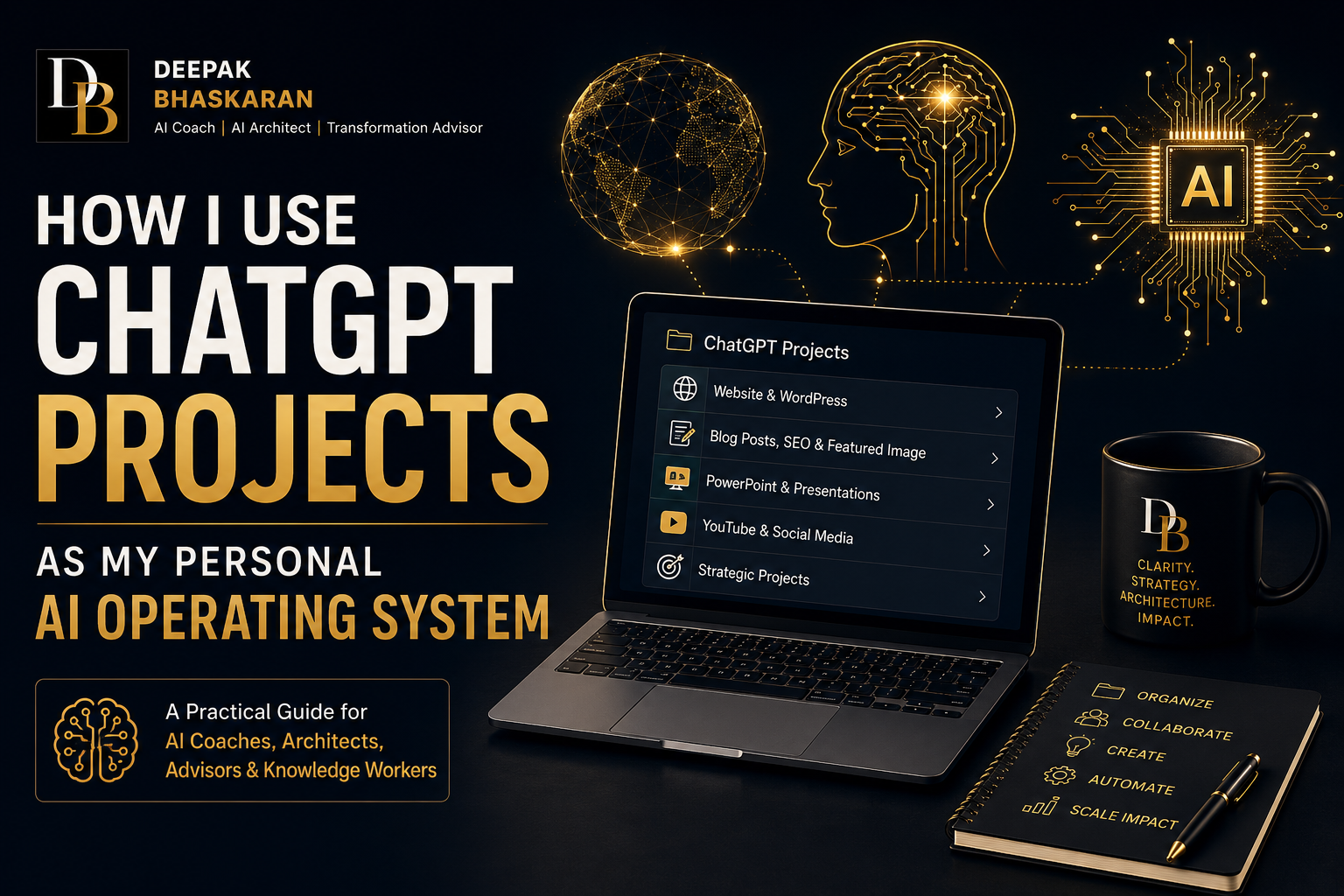
How I Use ChatGPT Projects as My Personal AI Operating System

A Practical Guide for leveraging ChatGPT for your personal and professional life
Introduction
Over the past year, I’ve used Generative AI extensively for:
- Content creation
- Executive coaching
- AI architecture design
- Workshop development
- Website design
- SEO optimization
- PowerPoint creation
- Social media content
- Research and thought leadership
As the number of conversations grew, I encountered a common problem:
My AI conversations were becoming more valuable than the outputs they produced.
Each conversation contained:
- Strategic decisions
- Design iterations
- Prompt refinements
- Brand guidelines
- Lessons learned
- Reusable frameworks
The challenge wasn’t generating content.
The challenge was organizing and reusing knowledge.
That’s when I started using ChatGPT Projects as a personal AI operating system.
Today, Projects serve as my centralized workspace for managing content, assets, prompts, templates, and ongoing initiatives.
This article explains how I use Projects to improve productivity and create consistency across my work as an AI Coach, AI Architect, and Transformation Advisor.
Why Most People Underutilize ChatGPT
Many users interact with ChatGPT through isolated conversations.
A typical workflow looks like this:
- Ask a question
- Receive an answer
- Move on
The problem?
Every conversation starts from scratch.
The AI has no understanding of:
- Your brand
- Your preferred writing style
- Previous decisions
- Existing assets
- Strategic priorities
As a result:
- Context is repeatedly re-explained
- Outputs become inconsistent
- Valuable knowledge becomes fragmented
Projects solve this problem.
What Is a ChatGPT Project?
Think of a Project as:
A dedicated AI workspace centered around a specific objective.
Projects allow you to:
- Organize conversations
- Upload reference files
- Maintain consistent instructions
- Reuse assets
- Build institutional knowledge
Instead of managing dozens of disconnected chats, you create structured environments around key areas of work.
For me, this transformed ChatGPT from a chatbot into an operational system.
My Project Structure
I organize my work into five primary projects.
1. Website & WordPress
This project contains everything related to my personal website.
Examples include:
- Website design decisions
- Homepage layouts
- Branding standards
- Navigation structure
- Footer design
- WordPress troubleshooting
- Theme customization
- Plugin recommendations
- User experience improvements
Instead of repeatedly explaining:
- color schemes,
- typography,
- branding preferences,
the project becomes the permanent source of truth.
Typical Requests
- Create a new page layout
- Improve website UX
- Generate page copy
- Review design consistency
- Troubleshoot WordPress issues
2. Blog Posts, SEO & Featured Images
This is one of my highest-value projects.
Every article I publish lives here.
The project contains:
- Blog drafts
- SEO standards
- Keyword strategies
- Meta descriptions
- Excerpts
- Internal linking strategies
- Featured image requirements
Because the project retains context, ChatGPT already understands:
- my writing style,
- target audience,
- content themes,
- preferred formatting.
Typical Requests
- Write a new article
- Generate SEO metadata
- Create image prompts
- Suggest internal links
- Improve readability
- Create LinkedIn summaries
This significantly reduces the time required to publish new content.
3. PowerPoint & Executive Presentations
As an AI Coach and Architect, I regularly create:
- Executive briefings
- Workshop materials
- Training decks
- AI strategy presentations
- Architecture reviews
This project stores:
- Presentation templates
- Visual standards
- Speaker notes
- Frameworks
- Reusable diagrams
- Executive storytelling patterns
Instead of rebuilding decks from scratch, I can reuse and refine proven structures.
Typical Requests
- Create slide outlines
- Generate speaker notes
- Design workshop activities
- Convert articles into presentations
- Create executive summaries
This project has become my AI-powered presentation design assistant.
4. YouTube & Social Media
Creating content across platforms often requires repurposing the same ideas multiple times.
This project contains:
- Video concepts
- YouTube scripts
- Thumbnail ideas
- LinkedIn articles
- Social media posts
- Community engagement strategies
The project allows me to transform a single piece of content into multiple formats.
For example:
A blog post becomes:
- A YouTube video
- A LinkedIn article
- A LinkedIn carousel
- Several social media posts
- A presentation
Typical Requests
- Generate video scripts
- Create thumbnail concepts
- Draft LinkedIn posts
- Suggest content calendars
- Create social media campaigns
5. Strategic Projects
This project serves as a workspace for ongoing initiatives.
Examples include:
- AI adoption programs
- Copilot enablement
- Enterprise AI strategy
- Architecture reviews
- Workshop development
- Research initiatives
The value comes from preserving continuity.
Instead of re-explaining:
- objectives,
- stakeholders,
- constraints,
the project maintains context across weeks or months.
This is where Projects begin to function as a second brain.
Create a Project Operating Brief
One of the most valuable things I have done is create what I call a:
Project Operating Brief
Think of it as a strategic reference document for the AI.
The brief includes:
Personal Brand
- AI Coach
- AI Architect
- Transformation Advisor
Website Standards
- Dark navy
- Gold accents
- Executive consulting aesthetic
Writing Style
- Practical
- Executive
- Action-oriented
- Educational
Audience
- Executives
- Architects
- Managers
- Consultants
- Technology leaders
Reusable Assets
- Logos
- Profile photos
- Templates
- Frameworks
This becomes the AI’s instruction manual.
Build a Prompt Library
Most people underestimate the value of reusable prompts.
Whenever I discover a prompt that consistently delivers excellent results, I save it.
Examples include:
Blog Creation Prompt
Used for long-form WordPress content.
SEO Prompt
Generates:
- titles,
- descriptions,
- slugs,
- keywords.
PowerPoint Prompt
Converts content into executive-ready presentations.
YouTube Prompt
Generates:
- scripts,
- thumbnails,
- descriptions.
Over time, this prompt library becomes a productivity multiplier.
Keep Your Assets Together
Projects become significantly more valuable when paired with reusable assets.
Examples:
Branding Assets
- Logos
- Headshots
- Color palettes
Design Assets
- Website screenshots
- Templates
- Reference designs
Content Assets
- Articles
- Presentations
- White papers
Research Assets
- Industry reports
- Workshop materials
- Training decks
Rather than searching across folders and applications, everything remains connected to the project.
Think in Systems, Not Conversations
One of the biggest mindset shifts is this:
Don’t think about ChatGPT as a chatbot.
Think about it as a system.
Most people ask:
“Can AI help me with this task?”
A better question is:
“How can AI support this entire workflow?”
Projects allow you to design repeatable systems for:
- content creation,
- presentation development,
- website management,
- research,
- coaching,
- strategic planning.
That is where the real leverage exists.
My Personal Workflow
A typical content workflow looks like this:
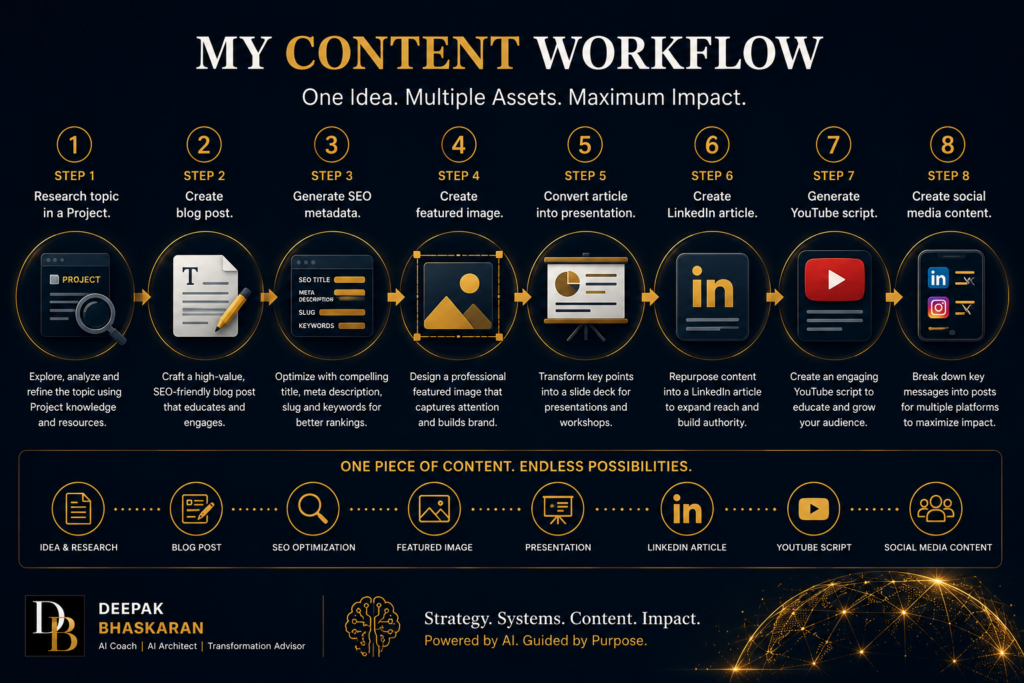
Step 1
Research topic in a Project.
Step 2
Create blog post.
Step 3
Generate SEO metadata.
Step 4
Create featured image.
Step 5
Convert article into presentation.
Step 6
Create LinkedIn article.
Step 7
Generate YouTube script.
Step 8
Create social media content.
One conversation becomes an entire content ecosystem.
Lessons Learned
After using Projects extensively, several lessons stand out.
Organize by outcomes
Not by tools.
Save your best prompts
They become intellectual property.
Create operating briefs
Give AI consistent instructions.
Upload reference material
Context improves output quality.
Reuse assets
Avoid recreating work.
Think long term
Projects become more valuable over time.
Final Thoughts
The biggest mistake people make with Generative AI is treating every interaction as a one-off conversation.
The biggest opportunity is creating systems.
Projects allow you to:
- Preserve knowledge
- Build context
- Standardize outputs
- Improve consistency
- Accelerate execution
For me, ChatGPT Projects have evolved from a collection of conversations into something much more valuable:
A personal AI operating system.
And as Generative AI continues to mature, I believe this approach will become one of the most important productivity habits for knowledge workers, consultants, architects, executives, and creators.
The future of AI isn’t simply better answers.
It’s building better systems around those answers.