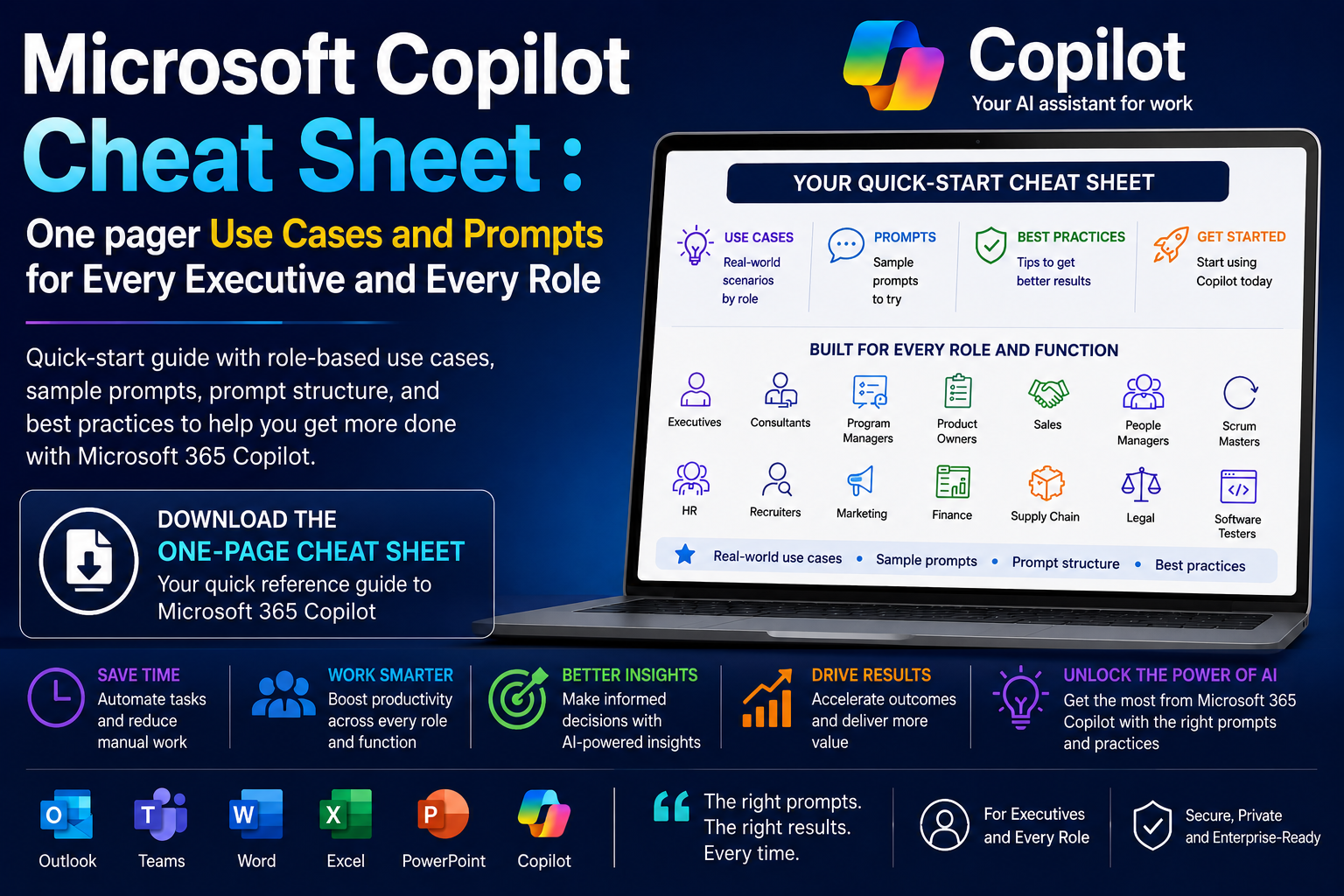
Microsoft Copilot Cheat Sheet : One pager Use Cases and Prompts for Every Executive and Every Role

One of the most common questions I hear from executives and business leaders is:
“I understand what Microsoft Copilot is, but how would I actually use it in my role?”
It is a fair question.
Many organizations invest in Microsoft 365 Copilot, provide access to employees, and then expect adoption to happen naturally.
In reality, most professionals struggle not because they lack access to Copilot, but because they cannot immediately connect the technology to their day-to-day responsibilities.
The key to successful adoption is simple:
Start with your role, not the technology.
Whether you are an executive, consultant, project manager, finance professional, marketer, HR leader, recruiter, legal advisor, or product owner, Copilot can help automate repetitive work, accelerate analysis, improve communication, and reduce time spent searching for information.
👉 Download the full Microsoft Copilot Functional One-Page Cheat Sheet and keep it as your quick-reference guide for daily Copilot usage.
Why Role-Based Copilot Adoption Matters
The most successful Copilot users do not ask:
“What can Copilot do?”
They ask:
“What tasks consume too much of my time?”
Once you identify those tasks, Copilot becomes much easier to adopt.
Common examples include:
- Summarizing meetings
- Drafting emails
- Preparing presentations
- Reviewing documents
- Conducting research
- Analyzing spreadsheets
- Creating reports
- Organizing project information
- Preparing executive briefings
The use cases may differ by role, but the outcome is the same:
More time spent on decision-making and less time spent on administrative work.
Copilot Cheat Sheet for Executives
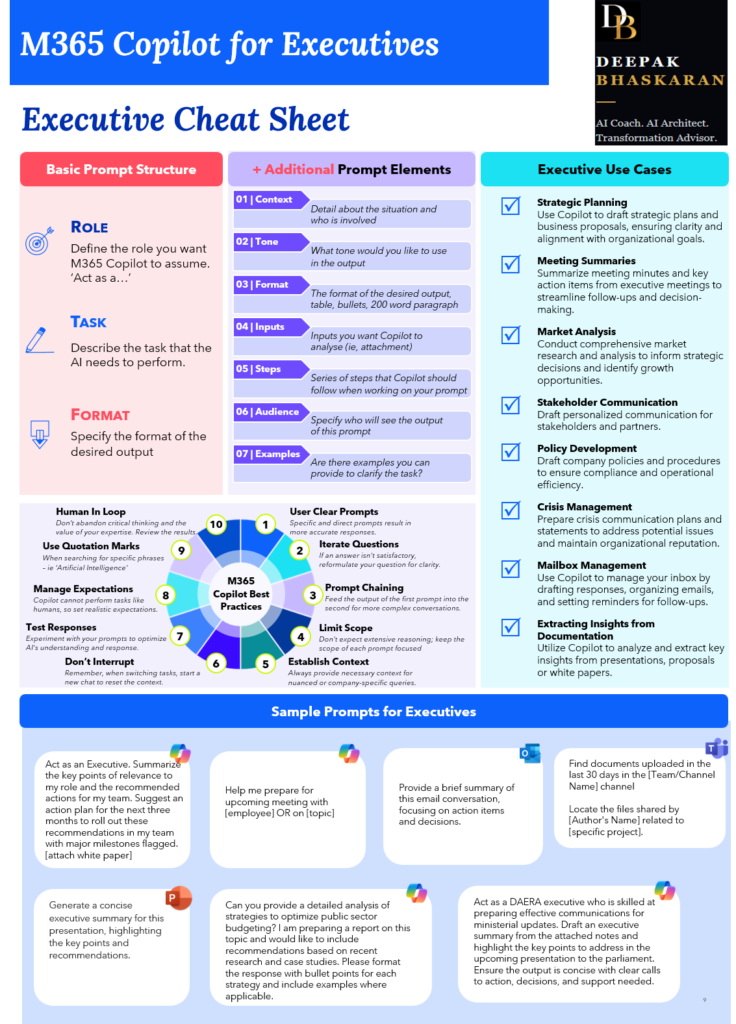
Executives spend much of their time processing information, making decisions, and communicating with stakeholders.
Copilot can help:
Common Executive Use Cases
- Strategic planning
- Executive briefings
- Market research
- Meeting preparation
- Stakeholder communications
- Policy reviews
- Inbox management
- Presentation reviews
- Extracting insights from reports
Example Prompt
Act as my executive assistant. Summarize all meetings, emails, and Teams discussions from the past week related to our AI transformation initiative. Highlight key decisions, risks, open actions, and items requiring executive attention.
Executive Benefit
Instead of reviewing hundreds of emails and messages, leaders can receive a concise briefing focused on what matters most.
Copilot Cheat Sheet for Consultants
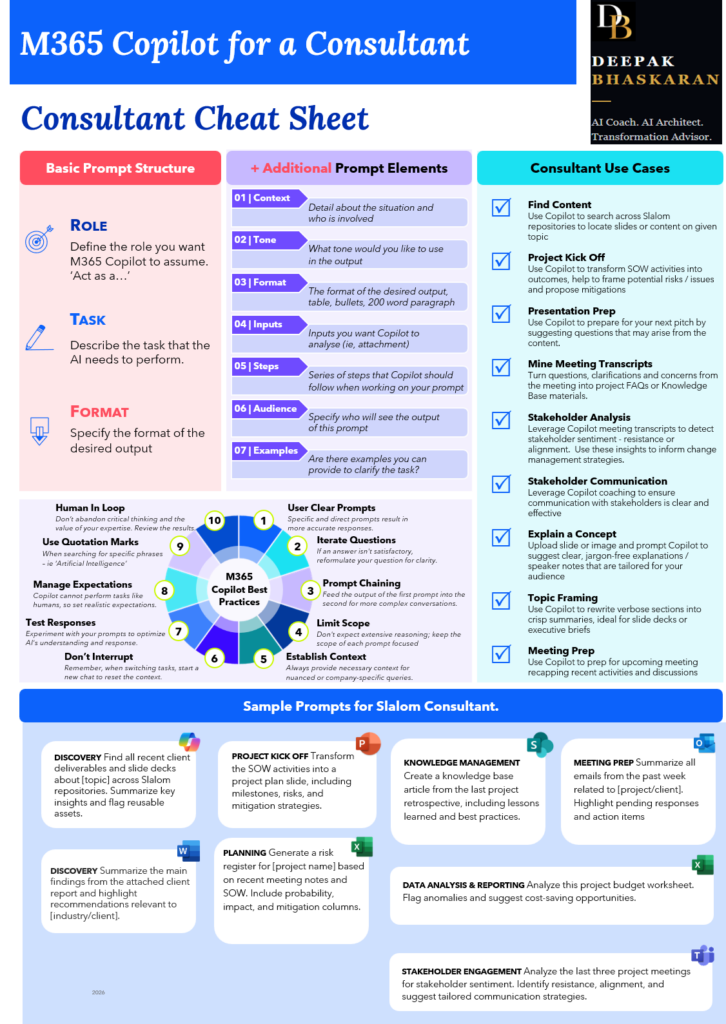
Consultants often spend significant time researching, preparing presentations, analyzing stakeholder feedback, and creating client deliverables.
Common Consultant Use Cases
- Project kickoffs
- Stakeholder analysis
- Presentation preparation
- Discovery workshops
- Meeting summaries
- Knowledge management
- Executive briefings
Example Prompt
Analyze the last three project meetings and identify stakeholder sentiment, resistance points, and communication risks. Suggest recommendations to improve alignment and adoption.
Consultant Benefit
Copilot accelerates analysis and allows consultants to focus on client engagement rather than manual synthesis.
Copilot Cheat Sheet for Program and Project Managers
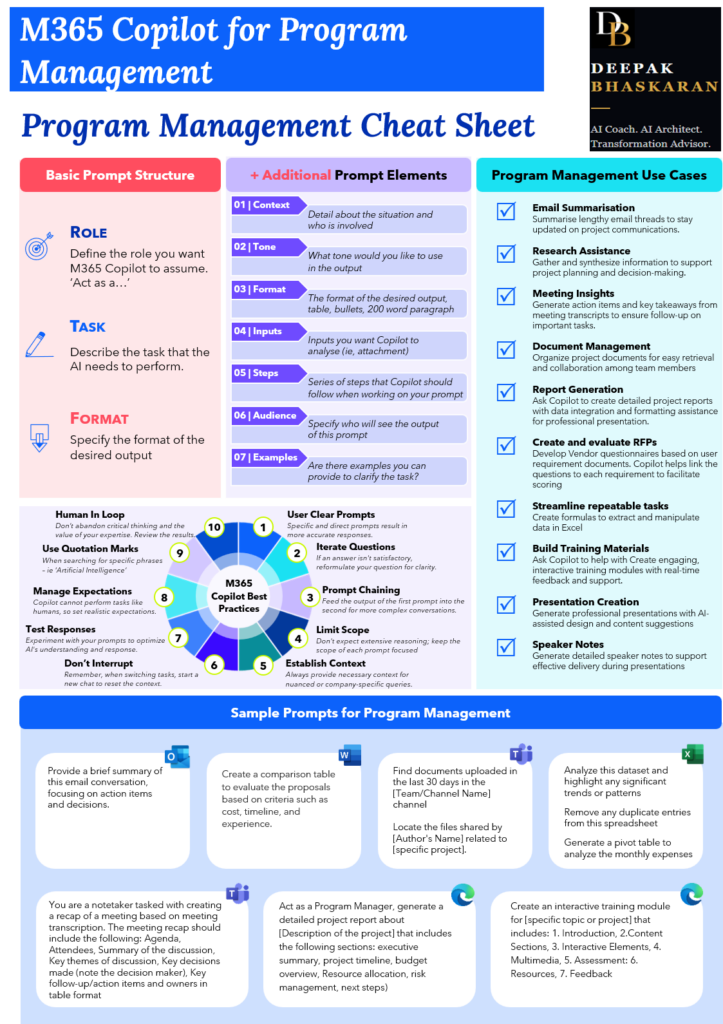
Program managers live in a world of meetings, action items, risks, status updates, and stakeholder coordination.
Common Use Cases
- Status reporting
- Meeting recaps
- Risk management
- Training content
- RFP evaluation
- Budget reviews
- Project planning
Example Prompt
Act as a Program Manager. Create an executive status report from these meeting notes, project updates, and risk logs. Include project health, risks, dependencies, and next steps.
Program Management Benefit
Reduce hours spent manually assembling status reports and steering committee updates.
Copilot Cheat Sheet for Finance Professionals
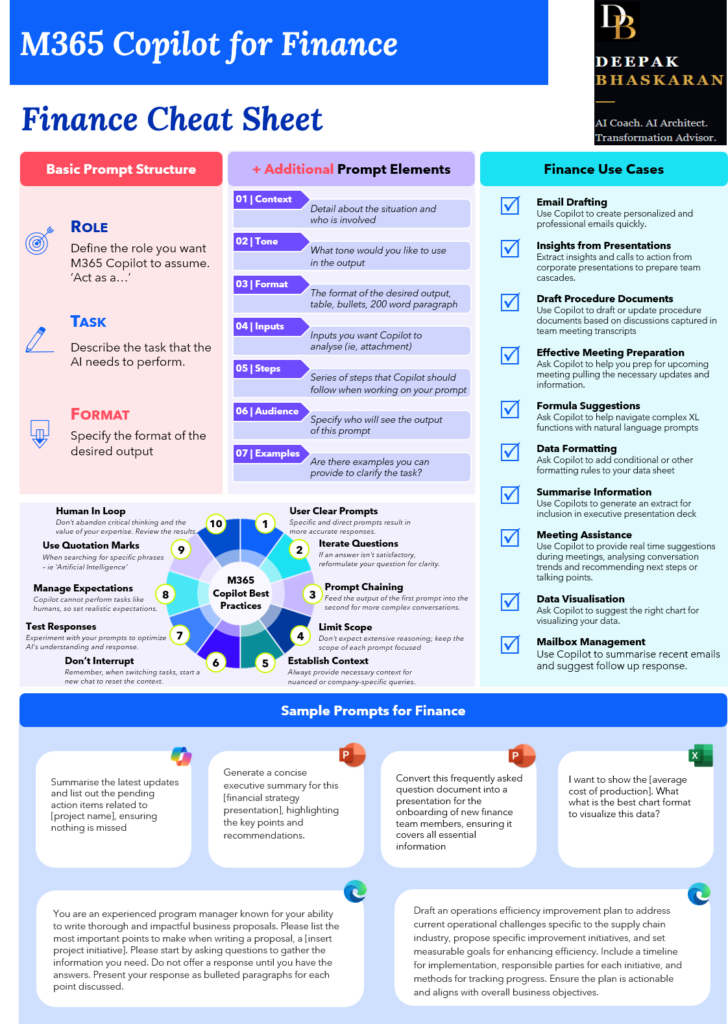
Finance teams work with large volumes of data, procedures, reports, and stakeholder communications.
Common Finance Use Cases
- Executive reporting
- Variance analysis
- Financial storytelling
- Procedure documentation
- Internal controls
- Benchmarking
- Industry research
- Spreadsheet analysis
Example Prompt
Act as a FP&A leader. Summarize the key financial risks from this report and prepare an executive-ready summary including recommended actions, business impact, and next steps.
Finance Benefit
Transform raw financial data into actionable business insight faster.
Copilot Cheat Sheet for HR and Recruiters
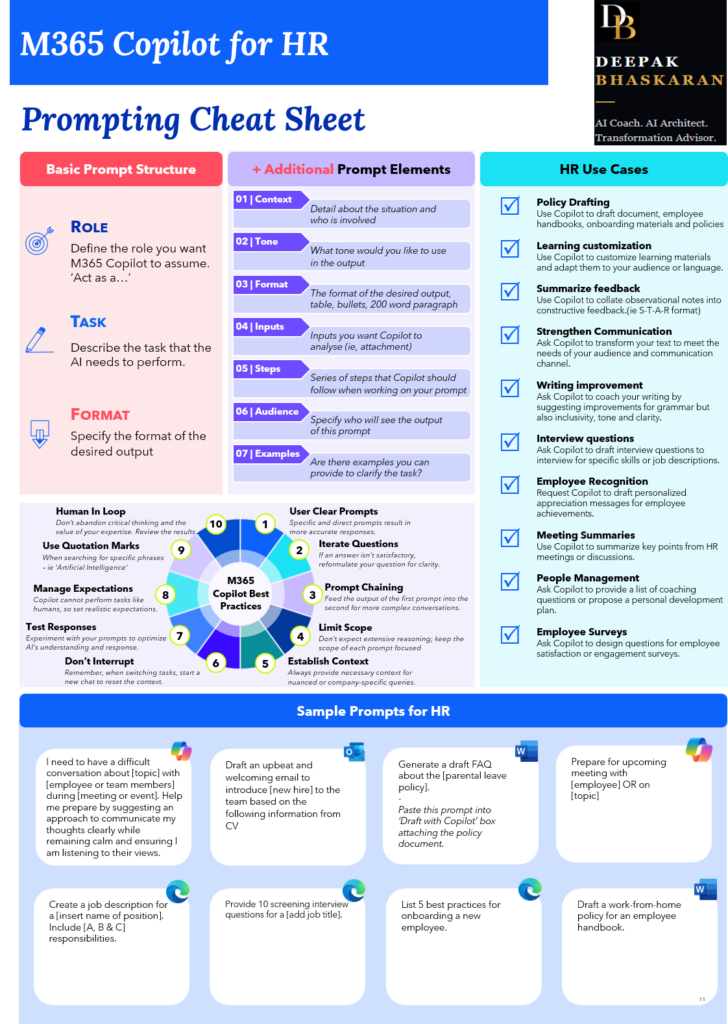
HR teams spend considerable time creating content, preparing communications, conducting interviews, and supporting employee development.
Common HR Use Cases
- Job descriptions
- Interview questions
- Employee communications
- Performance reviews
- Development plans
- Onboarding materials
- Employee engagement surveys
Example Prompt
Create a 90-day onboarding plan for a new employee joining our AI transformation team. Include learning objectives, stakeholder introductions, and milestone check-ins.
HR Benefit
Accelerate HR operations while improving consistency and quality.
Copilot Cheat Sheet for Marketing and Communications
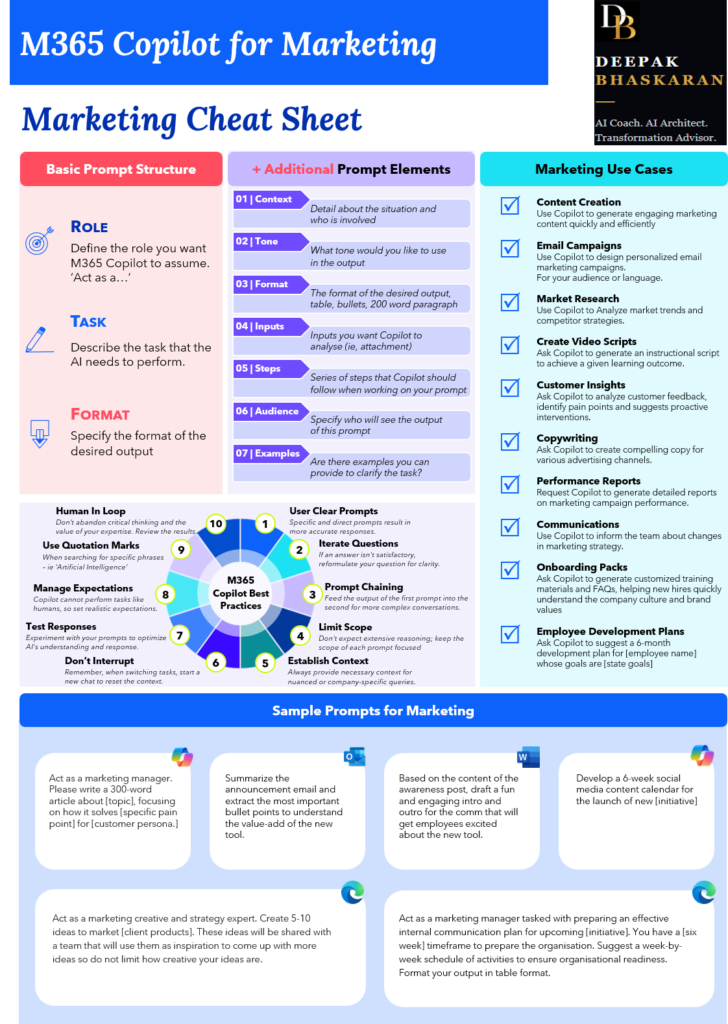
Marketing teams constantly create content and campaigns.
Common Use Cases
- Social media content
- Internal communications
- Blog posts
- Campaign planning
- Content calendars
- Video scripts
- Customer messaging
Example Prompt
Create a six-week internal communications campaign promoting Microsoft Copilot adoption. Include weekly themes, communication channels, and engagement activities.
Marketing Benefit
Move from blank page to campaign strategy in minutes.
Copilot Cheat Sheet for Sales Professionals
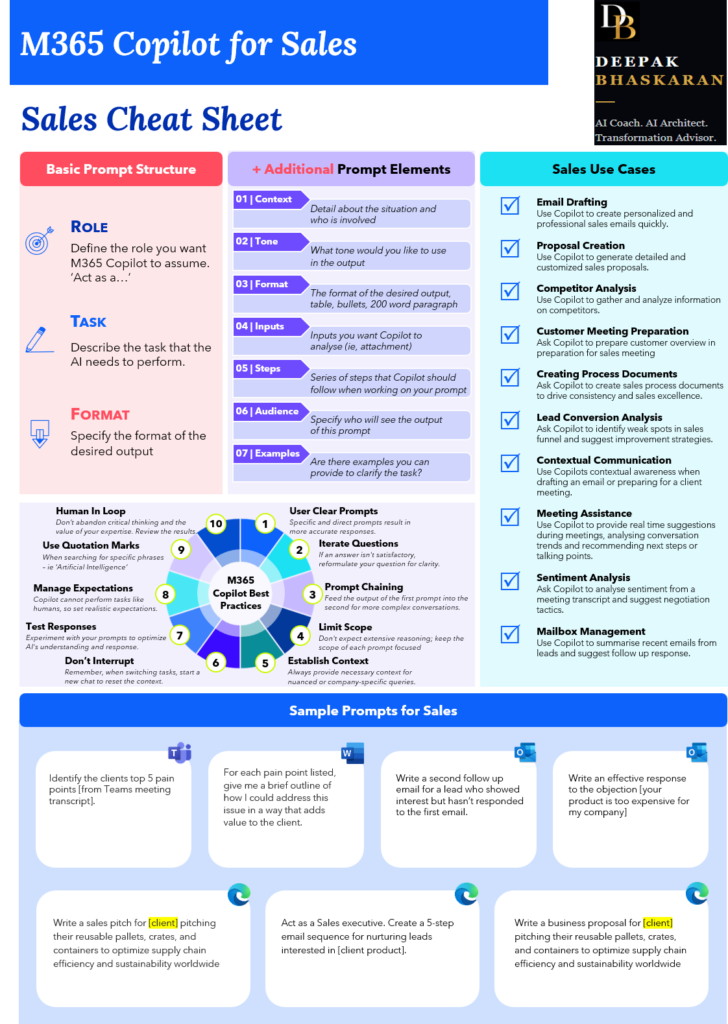
Sales professionals can use Copilot to improve preparation and communication.
Common Use Cases
- Sales proposals
- Account research
- Customer meeting preparation
- Competitive analysis
- Objection handling
- Lead follow-up
Example Prompt
Analyze the customer meeting transcript and identify the client’s top five pain points. Suggest value-based responses and follow-up questions.
Sales Benefit
Spend more time selling and less time preparing.
Copilot Cheat Sheet for Legal Teams
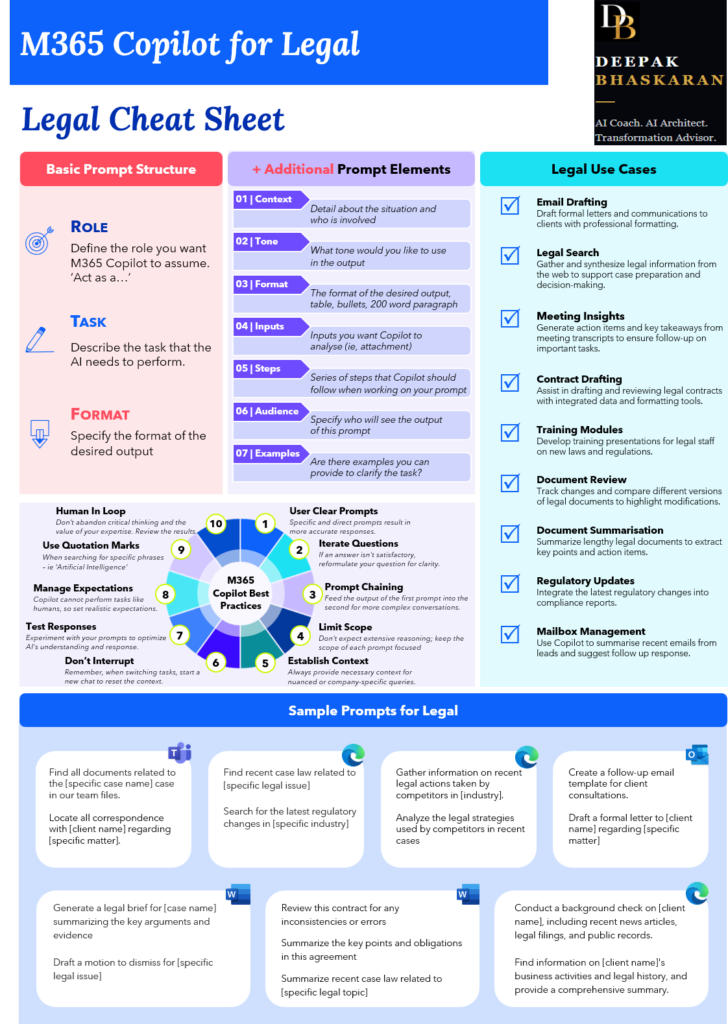
Legal professionals deal with large amounts of information that must be reviewed, summarized, and communicated.
Common Use Cases
- Contract review
- Legal summaries
- Regulatory research
- Client communication
- Compliance reporting
Example Prompt
Summarize this contract and identify key obligations, risks, deadlines, and compliance requirements.
Legal Benefit
Accelerate review processes while maintaining professional oversight.
The Universal Copilot Prompt Structure
Regardless of role, the most effective prompts contain the same building blocks:
Context
What is happening?
Tone
How should Copilot communicate?
Format
What should the output look like?
Inputs
What files or information should Copilot use?
Steps
What process should it follow?
Audience
Who will consume the output?
Examples
Can you provide examples of the desired outcome?
This structure consistently improves output quality across all Microsoft 365 applications.
Copilot Best Practices
Across every role in the cheat sheet, the same recommendations appear repeatedly.
Use Clear Prompts
Specific instructions generate better responses.
Provide Context
Copilot performs better when it understands the situation.
Start New Chats for New Topics
Avoid mixing unrelated conversations.
Iterate
Prompting is a conversation, not a one-time request.
Use Prompt Chaining
Use one Copilot output as the input to the next prompt.
Keep Humans in the Loop
Always review and validate outputs before using them.
Remember:
Copilot is a Copilot, not an Autopilot.
Your expertise remains essential.
Download the Complete Microsoft Copilot Functional Cheat Sheet
This article only scratches the surface.
The complete cheat sheet includes:
- Role-specific use cases
- Prompt examples
- Best practices
- Microsoft 365 application guidance
- Functional area recommendations
Whether you are an executive, consultant, finance leader, project manager, marketer, recruiter, or legal professional, the guide provides practical prompts you can start using immediately.
👉 Download the full Microsoft Copilot Functional One-Page Cheat Sheet and keep it as your quick-reference guide for daily Copilot usage.
Start with one use case.
Start with one prompt.
That is usually all it takes to begin seeing real value from Microsoft Copilot.