Introduction to Prompt Engineering with Microsoft Copilot

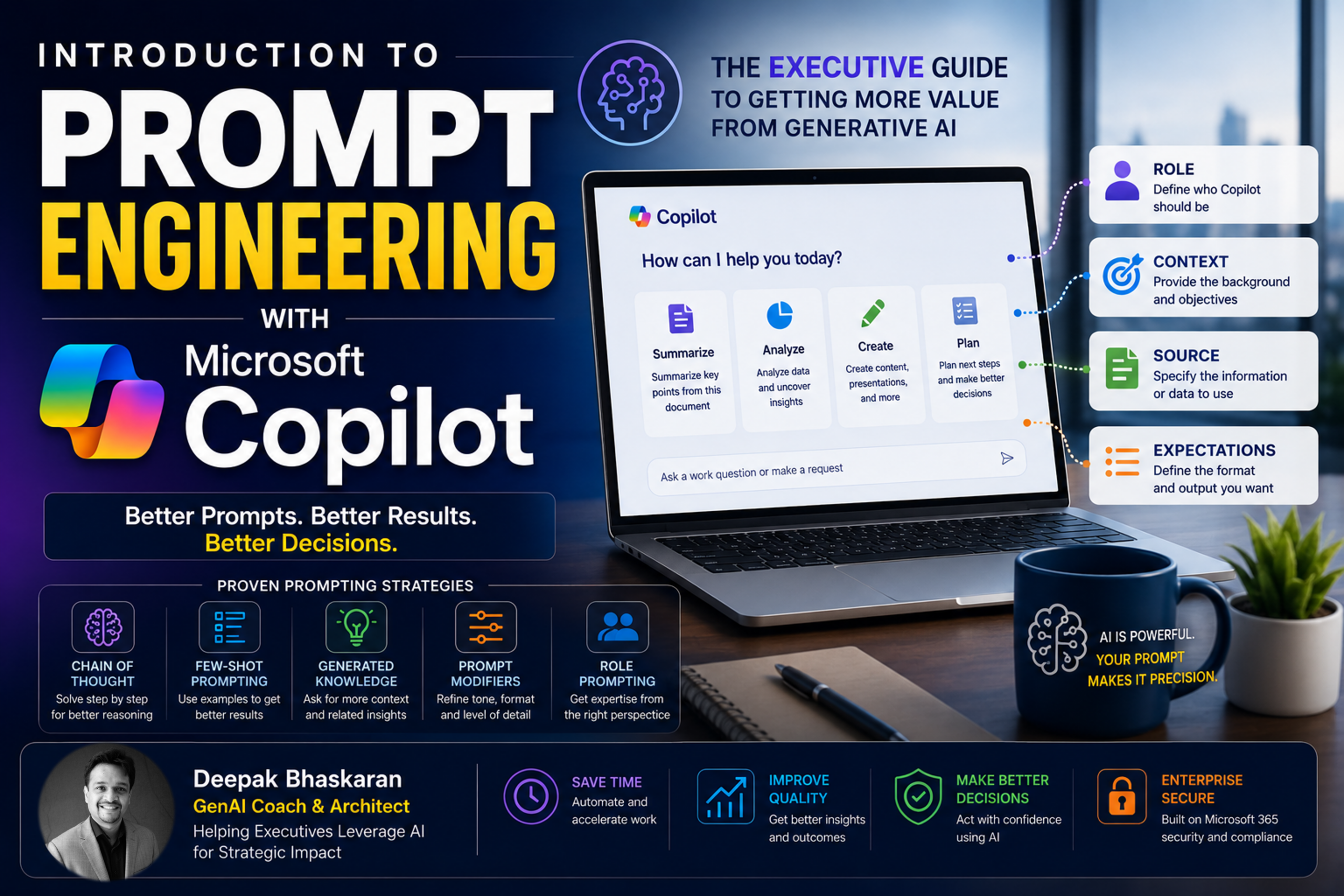
Why Prompt Engineering Is Becoming the Most Important AI Skill for Executives
Over the past year, Microsoft 365 Copilot has rapidly become one of the most widely adopted Generative AI tools in the enterprise.
Organizations are using Copilot to:
- Draft emails
- Summarize meetings
- Analyze data
- Create presentations
- Generate reports
- Conduct research
- Accelerate decision making
Yet many executives experience wildly different results from the same technology.
Some users save hours every week.
Others become frustrated after a few interactions and conclude that Copilot is overhyped.
The difference is rarely the technology.
The difference is usually the prompt.
This is where prompt engineering comes in.
Prompt engineering is quickly becoming one of the most important business skills of the AI era. While developers use prompt engineering to build sophisticated AI applications, business leaders can use the same principles to dramatically improve the quality, relevance, and usefulness of AI-generated outputs.
This article provides a practical introduction to prompt engineering using Microsoft Copilot, specifically designed for executives, managers, consultants, and business professionals.
What Is Prompt Engineering?
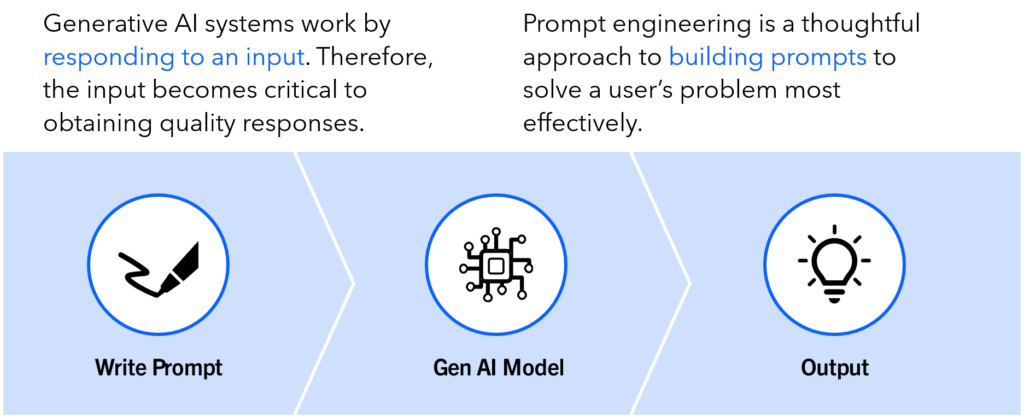
Prompt engineering is the practice of designing and refining prompts to get the most useful and reliable responses from Generative AI systems.
Generative AI systems work by responding to an input.
That input is the prompt.
A prompt can be:
- A question
- An instruction
- A request
- A conversation
- A workflow
The prompt becomes the most important factor influencing the quality of the response.
Think about it this way:
Prompt → AI Model → Response
The AI can only work with the information and instructions it receives.
If the prompt is vague, the response is often vague.
If the prompt is precise, contextual, and well structured, the response is usually significantly better.
Why Prompt Engineering Matters
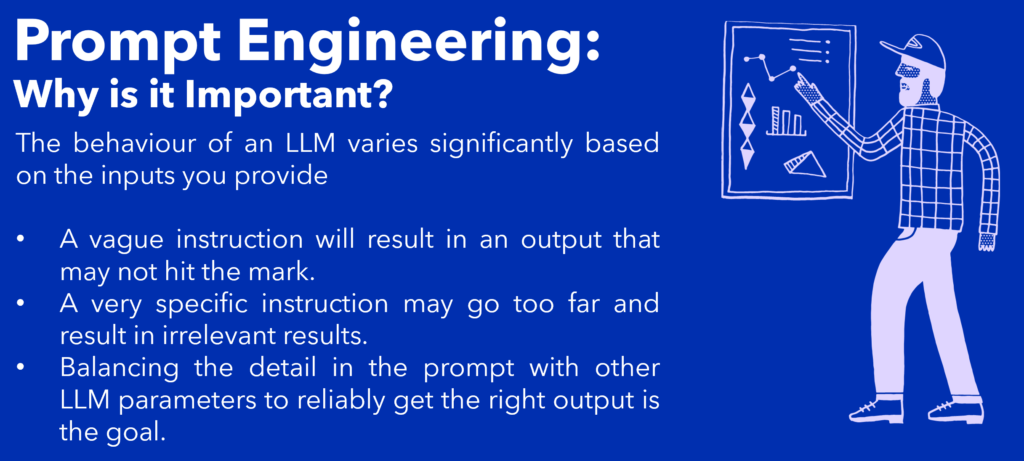
One of the biggest misconceptions about AI is that the model automatically understands what we want.
It doesn’t.
AI systems infer intent from the information we provide.
For example:
Weak Prompt
Summarize this report.
Better Prompt
Summarize this report for a CFO. Focus on financial risks, business impact, and executive decisions. Use five concise bullet points.
The second prompt gives Copilot:
- Audience
- Context
- Expectations
- Format
The result is almost always more useful.
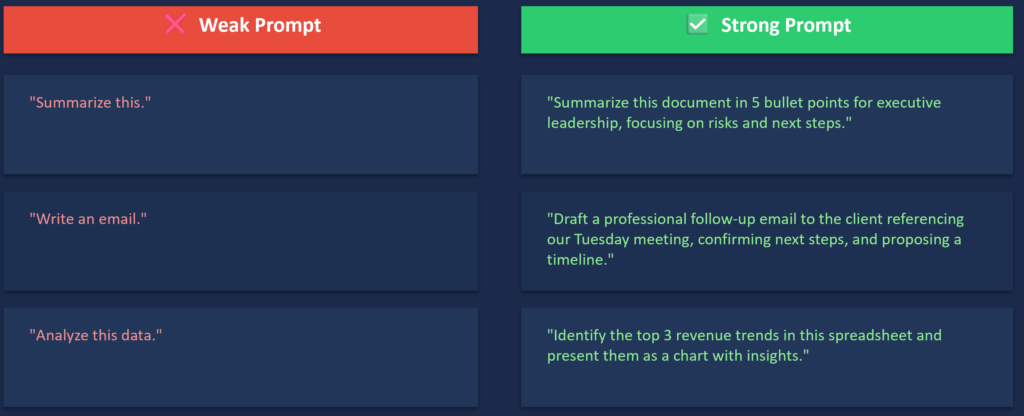
Prompt engineering is fundamentally about reducing ambiguity.
The Executive Mindset

A useful principle from Microsoft’s Copilot training is:
You are AI’s most important prompt.
Successful executives approach Copilot differently.
They:
- Experiment
- Refine
- Iterate
- Ask follow-up questions
- Challenge assumptions
- Treat Copilot like a collaborator
They understand that:
There is no perfect prompt.
Prompting is a conversation.
The first response is often the beginning, not the end.
The Anatomy of a Great Prompt
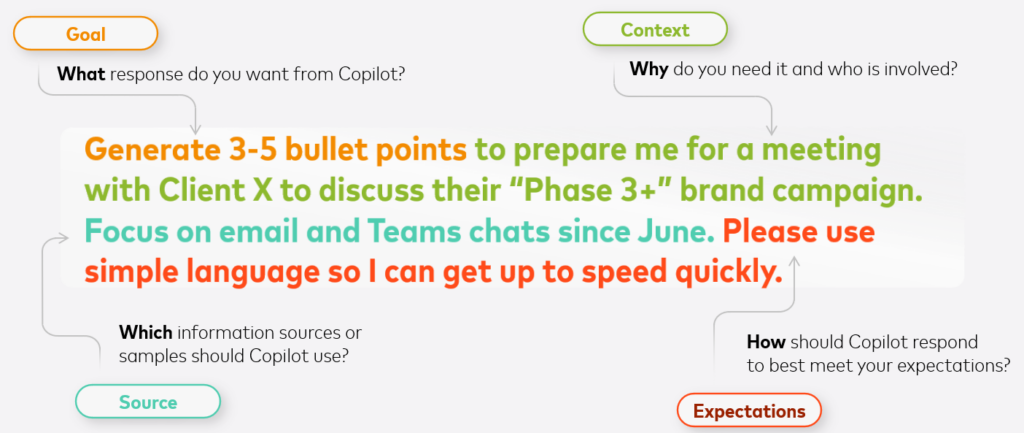
One of the most practical frameworks for prompt engineering consists of four ingredients:
Goal
What do you want Copilot to do?
Examples:
- Summarize
- Draft
- Analyze
- Compare
- Create
- Translate
Context
Why is the task being performed?
Examples:
- Executive review
- Customer presentation
- Board update
- Financial analysis
Source
What information should Copilot use?
Examples:
- Documents
- Emails
- Meetings
- Presentations
- Excel files
Expectations
What should the output look like?
Examples:
- Five bullet points
- Table format
- Executive tone
- Under 200 words
This framework alone can dramatically improve output quality.
Prompt Engineering Techniques Every Executive Should Know
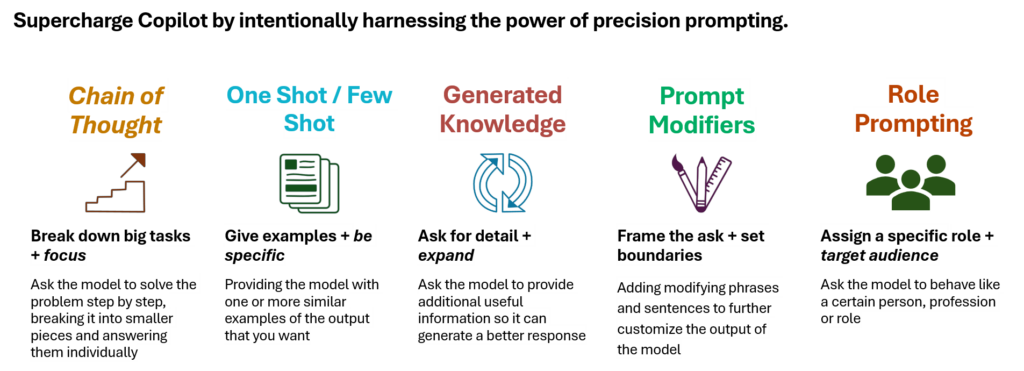
1. Role Prompting
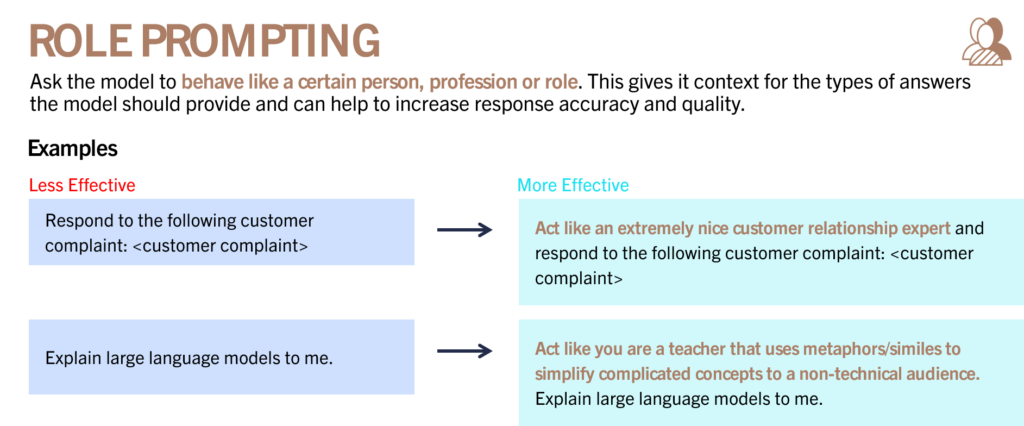
Role prompting tells Copilot who it should behave like.
Basic Prompt
Explain cloud computing.
Better Prompt
Act as a teacher who specializes in explaining technology to non-technical executives. Explain cloud computing using simple analogies.
Role prompting provides context and often improves response quality significantly.
Useful Executive Roles
- CFO
- Executive Assistant
- Strategy Consultant
- Project Manager
- Financial Analyst
- Communications Advisor
- Chief Risk Officer
2. Chain of Thought Prompting
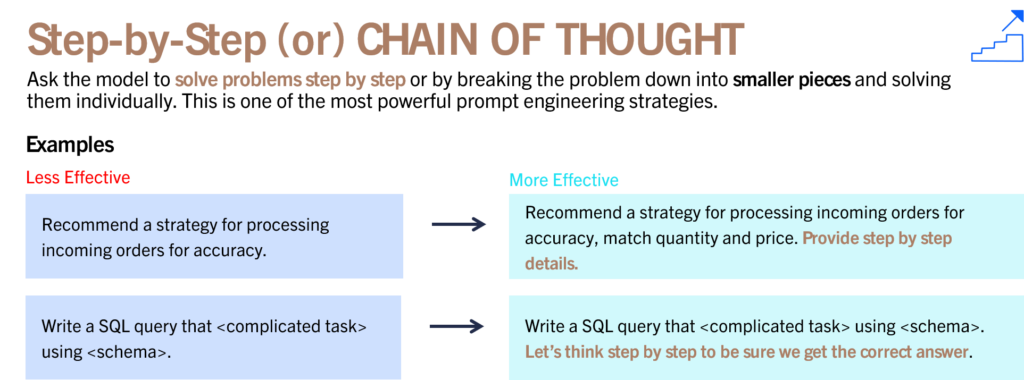
Chain of Thought prompting asks Copilot to reason through a problem step by step.
Less Effective
Recommend a strategy for processing orders.
More Effective
Recommend a strategy for processing orders. Break the solution into logical steps and explain each step individually.
This is one of the most powerful prompting techniques because it improves reasoning and transparency.
Best Use Cases
- Strategic planning
- Risk analysis
- Project planning
- Financial modeling
- Root cause analysis
3. One-Shot and Few-Shot Prompting
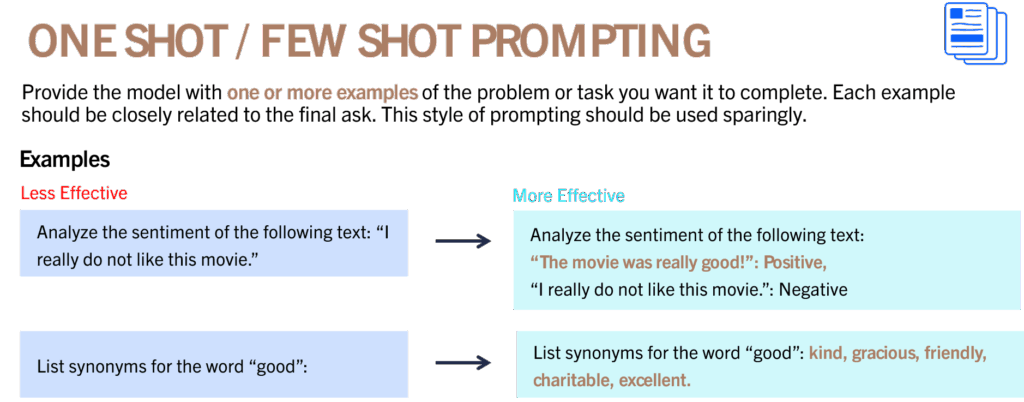
Few-shot prompting provides examples of the output you want.
Less Effective
List synonyms for good.
More Effective
List synonyms for good. Examples include kind, gracious, friendly, charitable, excellent.
Providing examples helps Copilot understand your expectations more clearly.
Business Applications
- Executive summaries
- Status reports
- Board updates
- Proposal templates
- Customer communications
4. Generated Knowledge Prompting
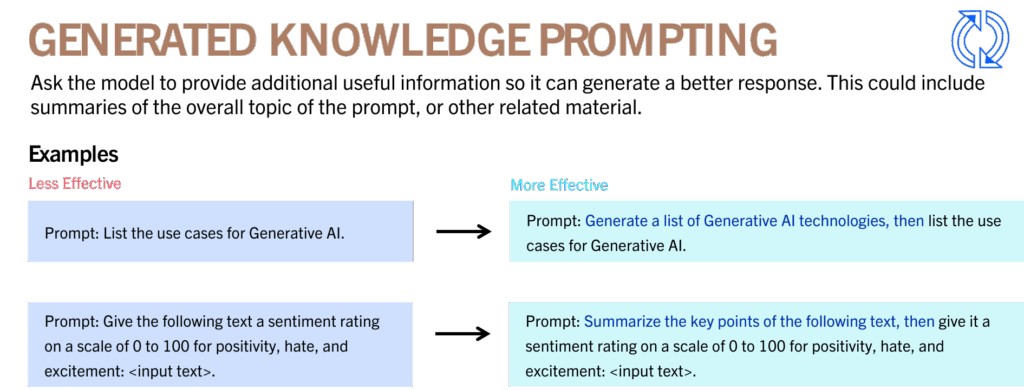
Generated knowledge prompting asks Copilot to gather background information before performing a task.
Less Effective
List use cases for Generative AI.
More Effective
Generate a list of Generative AI technologies and then identify business use cases for each.
This produces richer and more contextual outputs.
5. Prompt Modifiers
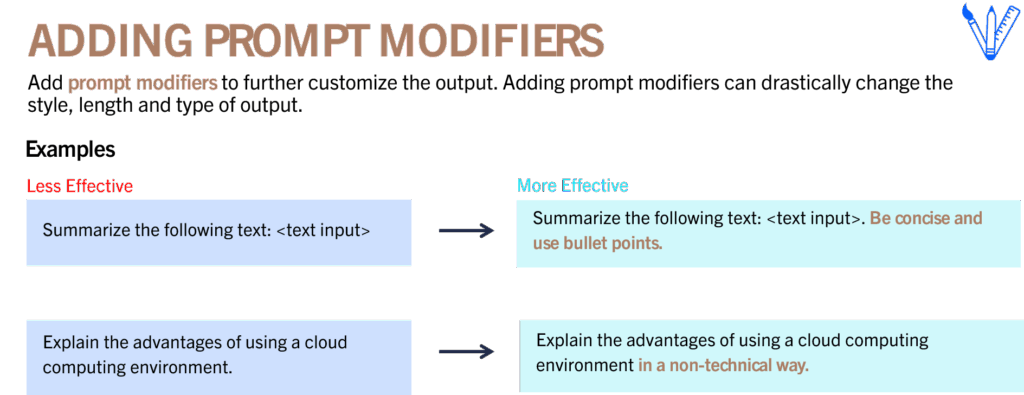
Prompt modifiers customize the output.
Examples:
- Be concise
- Use bullet points
- Explain for executives
- Use simple language
- Create a table
- Focus on risks
- Use a persuasive tone
Prompt modifiers are often the easiest way to improve results immediately.
Three Prompt Frameworks Executives Can Use Today
RTF Framework
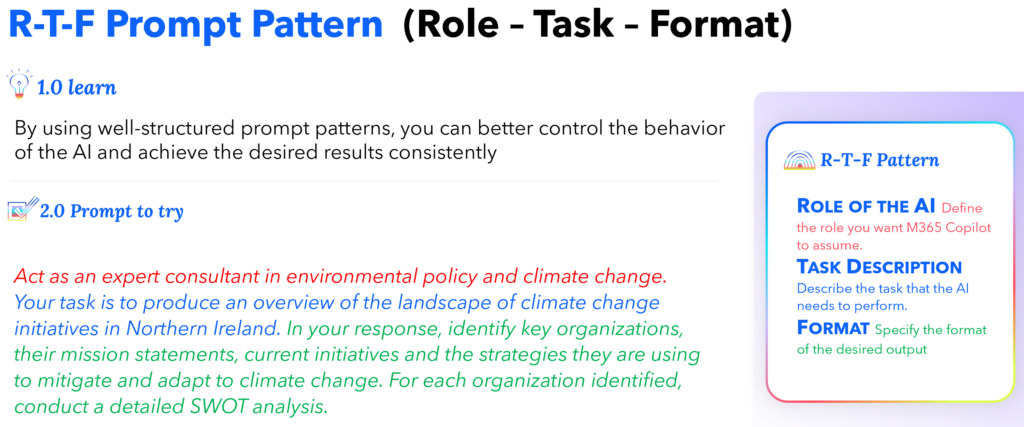
Role
Who should Copilot act as?
Task
What should it do?
Format
What should the output look like?
Example:
Act as a climate policy consultant. Create an overview of climate change initiatives and present the results in a SWOT analysis table.
This framework is ideal for executive briefings and research tasks.
RISE Framework
Role
Inputs
Steps
Expectation
This framework is especially useful for document analysis and structured decision making.
Example:
- Analyze survey results
- Identify themes
- Categorize sentiment
- Create summary tables
- Provide recommendations
RISE is one of the best frameworks for analytical work.
CREATE Framework
Context
Requirements
Expectations
Audience
Tone
Examples
This framework is particularly useful for content creation.
Examples:
- Blog posts
- Marketing campaigns
- Executive communications
- Presentations
- Social media content
The CREATE framework consistently produces higher-quality content because it defines audience and tone explicitly.
Prompting Best Practices
Start Small
Don’t try to solve everything in one prompt.
Begin with:
Summarize this document.
Then refine:
Focus on risks.
Then refine again:
Focus only on financial risks and executive decisions.
Iterative prompting usually produces better outcomes.
Use Natural Language
Talk to Copilot the way you would talk to a capable colleague.
Avoid:
- Overly technical instructions
- Excessive jargon
- Unclear requirements
Natural language often works best.
Ask for Explanations
Copilot can explain how it arrived at conclusions.
Examples:
Explain your reasoning.
What assumptions did you make?
What information is missing?
This increases trust and transparency.
Specify Format
Examples:
- Table
- Bullet points
- Executive summary
- SWOT analysis
- Presentation outline
Formatting instructions save significant time later.
Prompting Mistakes to Avoid
Being Too Vague
Bad:
Tell me about AI.
Better:
Explain the business benefits of Generative AI for financial services executives.
Overloading the Prompt
Avoid asking ten unrelated questions in one prompt.
Break large requests into smaller tasks.
Assuming Prior Knowledge
Provide context.
Don’t assume Copilot knows:
- Your project
- Your company
- Your audience
- Your goals
Changing Topics Mid-Conversation
When switching subjects:
Start a new topic.
This prevents confusion and context contamination.
Verify Before You Trust
One of the most important executive responsibilities is validating AI output.
Review responses for:
Accuracy
Are the facts correct?
Relevance
Does the response answer the question?
Logical Consistency
Does the reasoning make sense?
Factual Correctness
Can the information be verified?
Robustness
Would the response still work under different scenarios?
Prompt engineering is not complete until the output has been reviewed.
Final Thoughts
Microsoft 365 Copilot is changing how knowledge work gets done.
But Copilot alone does not create value.
Prompting creates value.
The professionals who learn how to:
- Provide context
- Structure requests
- Refine prompts
- Verify outputs
- Guide AI effectively
will consistently outperform those who rely on vague instructions and generic interactions.
The future of work belongs to professionals who know how to collaborate with AI.
And that collaboration begins with better prompts.
Key Takeaways
- Prompt engineering is the practice of designing effective AI instructions.
- Better prompts produce better business outcomes.
- Role prompting, Chain of Thought prompting, prompt modifiers, and generated knowledge prompting can significantly improve results.
- Frameworks such as RTF, RISE, and CREATE provide repeatable structures for building prompts.
- AI should always be treated as a collaborator, not an authority.
- Verification remains essential.
- Prompting is becoming one of the most important executive skills of the AI era.